How it works for site owners
Upload a GPX, FIT, TCX or KML file from your favourite route generator, or something you've already done. Select the activity type such as 'Road Cycling', 'Hike', 'Cross-country ski', 'MTB'...


Step one:
Step two:
The file will be processed, adding information about the distance, elevation, predominant bearing. You can decide if a predefined 'destination stop' that's near the route is selected - this might be a rest stop half way. It'll also calculate all other curated destinations along the route that you can show on a map later.
Step three:
If the route is similar to others, or part of a set, you can add them to a group - making it easier for visitors to find.
Make other tweaks such as a rich HTML description of the route to display to visitors, provide a link to the route hosted on 3rd party services such as Strava and Garmin, categorise the route in to 'club categories', password protect the route and hide it from searches.
You can auto detect towns/villages along the route automatically, so users can easily locate waypoints.
There's a lot of power under the hood
How it works for site visitors
Site vistors have multiple ways to engage with your routes
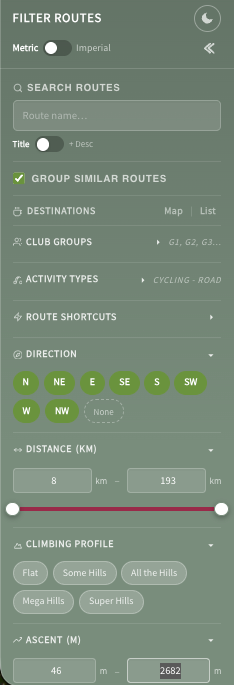
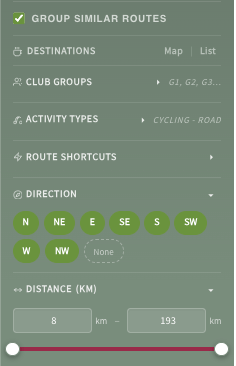
Search & filter for routes by names or locations
Pick an activity type, search by direction, distance, ascent. Fancy a long ride south? A quick hilly loop? Head in to the wind first? The visitor can pick from any routes you've uploaded.
Use predefined shortcuts like club groups, climbing profiles or combinations of filter presets.
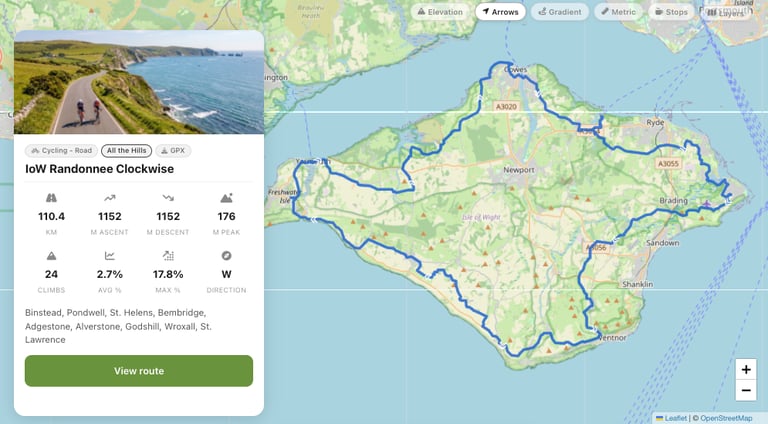
Display results as mini route information cards
These show basic information about a route - click the 'View Route' button for the full route information page.


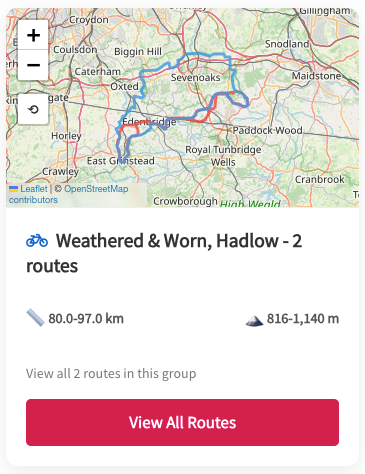

Support for 'groups'
For similar routes or sets, show the results as a 'group card' on the search and filter page
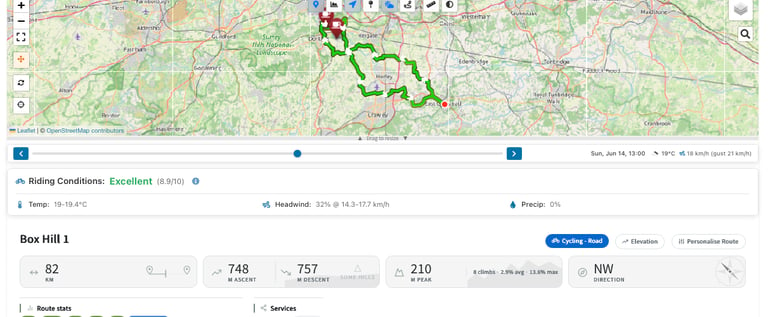
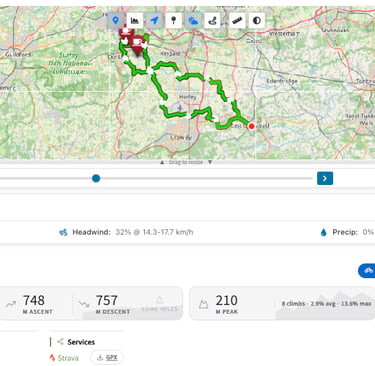
Route information pages
Show, hide and mandate dozens of metrics including:
Route course on a resizeable map
Route line as a solid or gradient line
Route direction arrows
Elevation profiles
Destination and alternative destination markers with pop-out info, links and addresses
Select (if enabled) multiple map providers and layers
Route descriptions containing clickable towns and villages that drop pins on the map
A full route description with a WYSIWYG editor to add formatted text and images
Optional auto-generated & editable turn-by-turn card
Distance information and ratings that are relative to all other routes
Ascent information and ratings
Route bearing info
Links to third parties such as Strava, Garmin or other fitness providers (doesn't share the GPX with them)
Route destinations with distance in to route, website, address and Street View links
Alternative destination information
Support for system dark mode auto-switching with manual over-rides
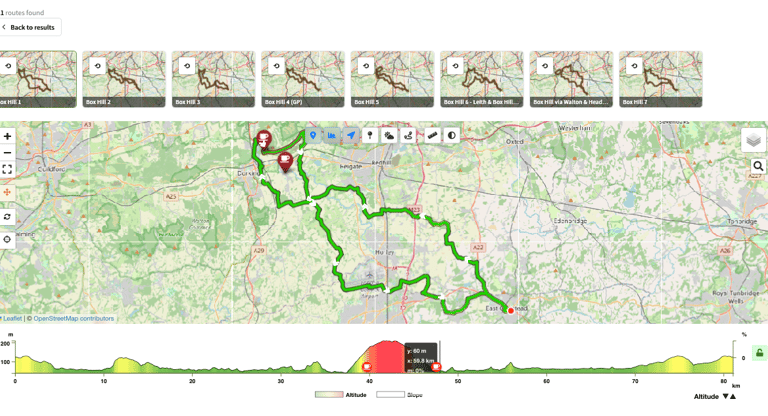
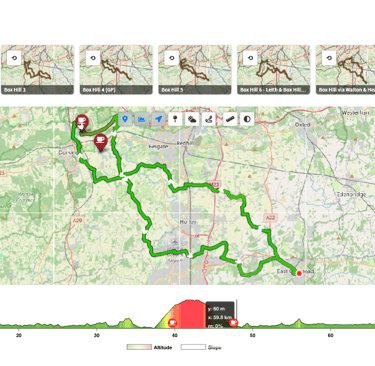
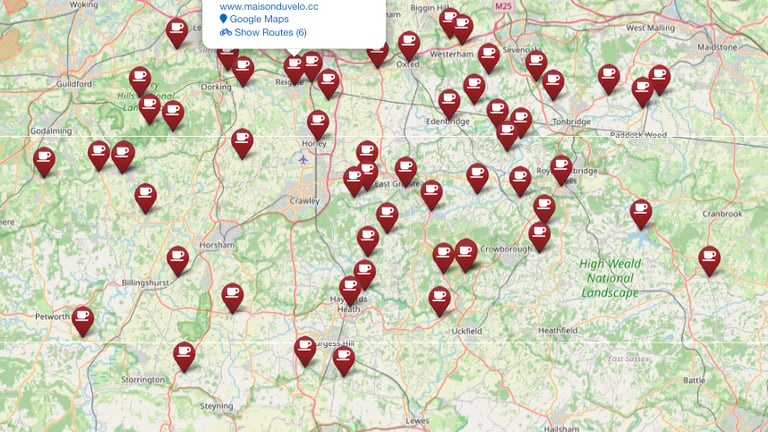
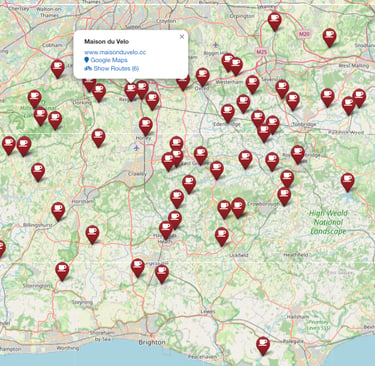
Destination Maps and lists
Show destinations on a map, click a pin for details and to show which routes have the destinations en-route
A table of all and filtered destinations, with links to full ride information pages, is also available.
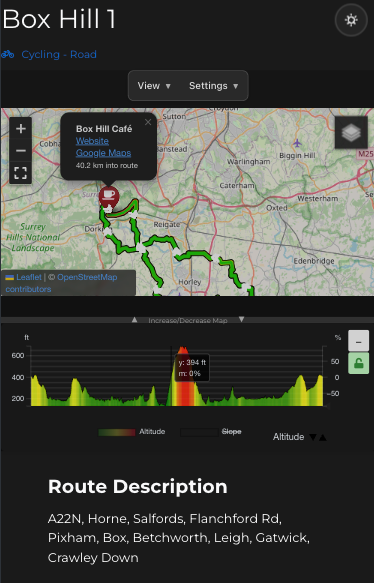

Hero the route
Show off routes as full screen or alongside other content on pages
Mobile friendly view
A responsive and scalable view that supports mobiles, tablets and multiple screen sizes.
Mobile friendly view
A responsive and scalable view that supports mobiles, tablets and multiple screen sizes.
Backend Management
Explore our innovative plugin features.
Destination Management
Define a list of destinations with detailed information


Route Management
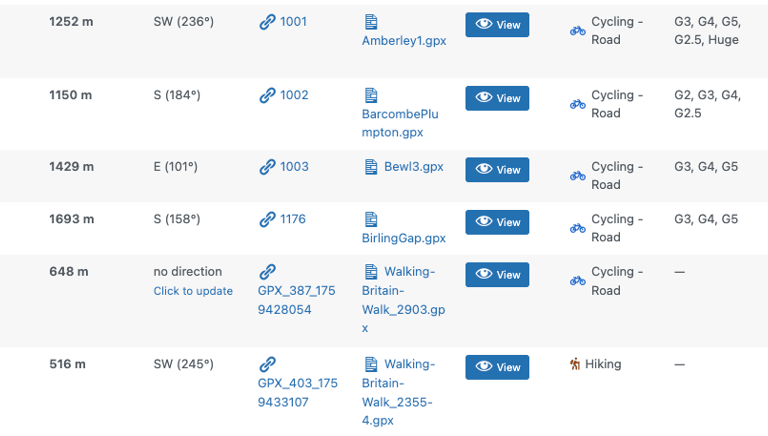
Edit, re-edit, update & delete all routes
Reviews
What people are saying
The Routefinder plugin transformed our cycling club's planning!
Ben H


Incredible features for finding routes and inspiration effectively.


Hayley
★★★★★
★★★★★